

Understanding Workflows
A workflow is a series of connected steps that run automatically. Think of it as a recipe for automation!
What is a Workflow?
Section titled “What is a Workflow?”Just like a recipe has steps (“First, preheat the oven… Then, mix the ingredients…”), a workflow has nodes that execute in order.
📥 Step 1: Trigger
Something happens (like a form submission)
⚙️ Step 2: Action
Do something (like send an email)
💬 Step 3: Another Action
Do something else (like post to Slack)
The Three Building Blocks
Section titled “The Three Building Blocks”Every workflow is made of three types of nodes:
1. Triggers (How It Starts)
Section titled “1. Triggers (How It Starts)”Triggers are the “when” of your workflow.
Examples:
- When someone submits a form
- When it’s 9 AM every morning
- When you click the “Run” button
- When a webhook receives data
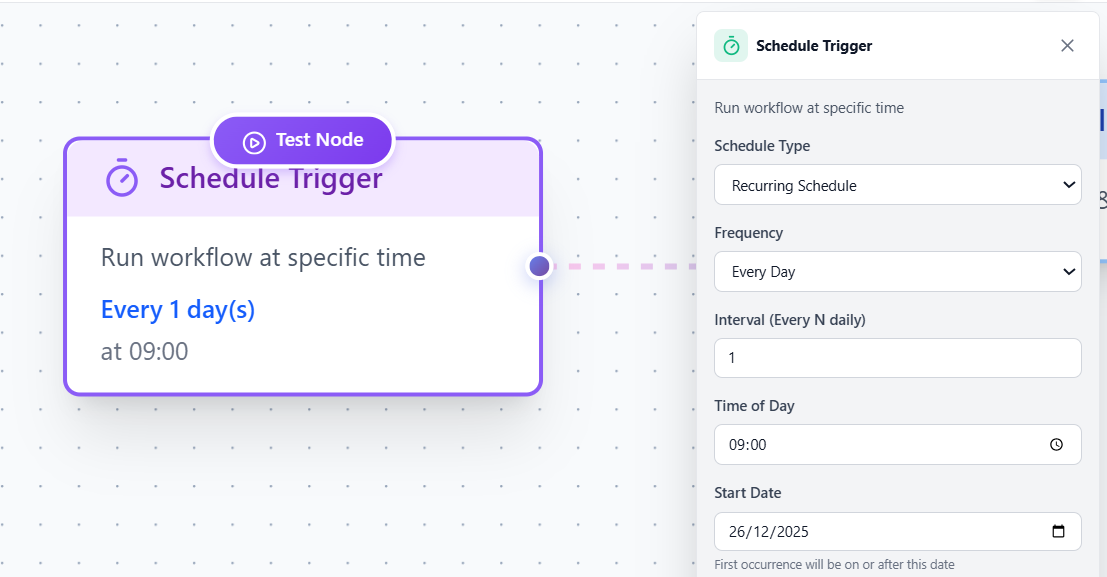 Trigger Types - Visual representation of different trigger types
2. Actions (What It Does)
Section titled “2. Actions (What It Does)”Actions are the “what” of your workflow.
Examples:
- Send an email
- Post a message to Slack
- Make a request to an API
- Transform data
3. Logic (How It Decides)
Section titled “3. Logic (How It Decides)”Logic nodes help your workflow make decisions.
Examples:
- If priority is “high” → send to Slack
- Otherwise → send email
- Wait 2 days before sending follow-up
How Workflows Execute
Section titled “How Workflows Execute”When a workflow runs, it follows these steps:
Trigger Fires
Something happens that starts the workflow (form submission, scheduled time, etc.)
First Node Runs
The workflow starts with the first connected node and executes it
Moves to Next Node
Follows the connection to the next node and executes it
Continues Until Done
Keeps executing nodes in order until it reaches the end
Types of Workflows
Section titled “Types of Workflows”Linear Workflows
Section titled “Linear Workflows”The simplest type - each step happens one after another.
[Trigger] → [Action 1] → [Action 2] → [Done]Example: Form submitted → Send email → Done
Branching Workflows
Section titled “Branching Workflows”The workflow splits based on conditions.
[Trigger] → [Check Priority] ├─ High → [Send Slack] └─ Low → [Send Email]Example: If urgent, notify on Slack; otherwise, send email
Sequential Workflows
Section titled “Sequential Workflows”Multiple actions in a specific order.
[Trigger] → [Email 1] → [Wait 2 days] → [Email 2]Example: Welcome email, wait, then send tips email
Real-World Example
Section titled “Real-World Example”Let’s see a complete workflow:
Scenario: Customer fills out contact form
🎯 Trigger: New Form Submission
Customer fills out contact form in Google Sheets
✉️ Action: Send Thank You Email
Automatically email customer: "Thanks for reaching out!"
💬 Action: Notify Team on Slack
Post to #sales channel: "New lead from [Name]"
✅ Done!
Workflow completes successfully
✨ With CiraIQ: All of this happens automatically in seconds!
Best Practices
Section titled “Best Practices”Next Steps
Section titled “Next Steps”Ready to build your own workflow?
- Workflow Builder - Learn the visual editor
- Connecting Nodes - Master node connections
- Examples - See real workflows in action