

What are Triggers?
Triggers are the “start button” for your workflows. They define when your automation should run.
How Triggers Work
Section titled “How Triggers Work”Think of a trigger like an alarm clock - it waits for the right moment, then wakes up your workflow to start working.
Something Happens
Form submitted, time reached, button clicked...
Workflow Starts
Your automation begins executing
Available Triggers
Section titled “Available Triggers”CiraIQ offers several types of triggers:
Manual Trigger
Section titled “Manual Trigger”When it fires: When you click “Run” Best for: Testing, on-demand tasks Learn more →
Schedule Trigger
Section titled “Schedule Trigger”When it fires: At specific times/dates Best for: Daily reports, weekly reminders Learn more →
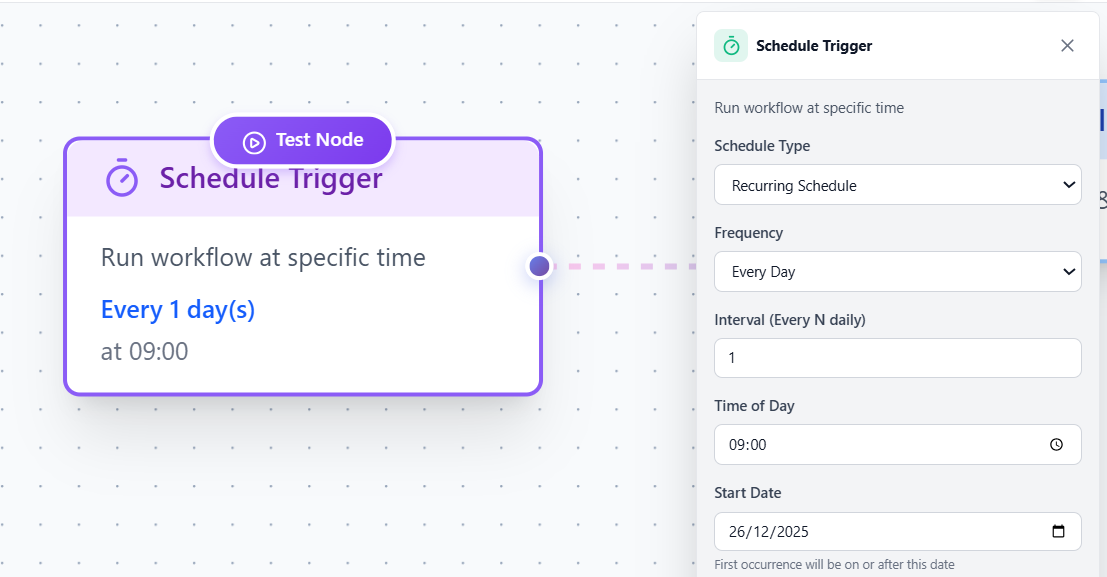 Trigger Types Comparison - Visual grid of all trigger types
Webhook Trigger
Section titled “Webhook Trigger”When it fires: When external service sends data Best for: API integrations, third-party apps Learn more →
Google Sheets Trigger
Section titled “Google Sheets Trigger”When it fires: When new row is added Best for: Form submissions, data collection Learn more →
Choosing the Right Trigger
Section titled “Choosing the Right Trigger”| I want to… | Use this trigger |
|---|---|
| Run manually for testing | Manual Trigger |
| Send daily emails at 9 AM | Schedule Trigger |
| Process form submissions | Google Sheets Trigger |
| Receive data from external app | Webhook Trigger |
Next Steps
Section titled “Next Steps”Explore each trigger type in detail:
- Manual Trigger - Click to run
- Schedule Trigger - Time-based automation
- Webhook Trigger - External triggers
- Google Sheets - Spreadsheet automation